I have long had a soft spot for the LGA775 architecture, and one of my retro PCs is an ASUS P5W motherboard, a Core 2 Quad Q6600 CPU with a stock cooler, 4GB of Kingston HyperX PC2-8500, and an nVidia Quadro 4000 2GB GPU. A motley build, for sure.
However, a video by LGR where Clint put together his ultimate 2007/2008 LGA775 PC, that would have been insanely expensive back in the day, inspired me to do something similar.
It’s taken me a year or so to get there, but here is what I ended up with.
Clint’s PC used a Core 2 Extreme QX6850, a bonkers ThermalTake Black Widow SpinQ cooler, Corsair Vengeance PC2-6400, and a pair of 8800 GTS F4tal1ty GPUs in SLI.
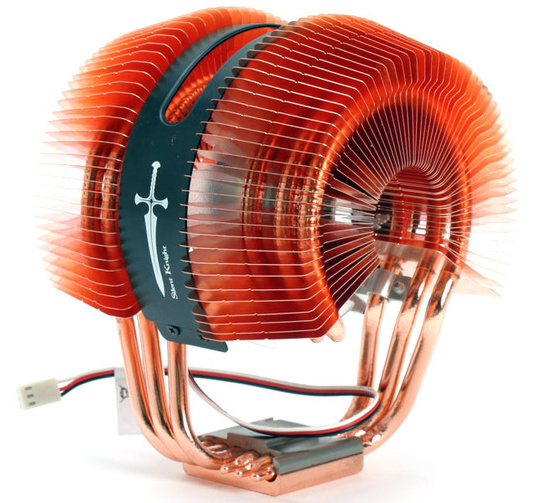
ASUS Silent Knight II
The ThermalTake Black Widow SpinQ cooler is very hard to find now, but I found an equally bonkers ASUS Silent Knight II Copper CPU Cooler for sale on eBay.
The seller wanted £35 and I stupidly paid that. However, when it arrived I found that the fan was seized. I contacted the seller and they said they were happy to do a full Return & Refund but as an alternative they proposed that I could have a 50% refund if I wanted to keep it as a project. I elected to do that.
I couldn’t find a direct replacement fan (although with hindsight now, I should have broadened my search to GPU fans) so what I did was to take a suitably-sized standard fan and clip off the shroud to make it shroudless, then use a disc of 3M double-sided foam tape (the really heavy duty stuff) to mount the hub of the fan to the cooler. This worked surprisingly well.
My requirements were a little fluid but I was thinking mid 2008, and the P45 chipset (as I understood this to be the ultimate evolution of LGA775), and what I envisaged for the motherboard was something really exotic with a lot of copper in order to complement the cooler.
What I had my heart set on was the Gigabyte EP45-EXTREME with its absolutely insane chipset cooler including an optional waterblock. However, these are as rare as hen’s teeth and simply don’t come up for sale very often.
Eventually what I decided upon was the Gigabyte GA-EP45-DS4. This is aesthetically similar to the Gigabyte EP45-EXTREME with a decent amount of copper, and is more available although still fairly rare and I ended up having to buy it from an eBayer in Italy. That cost me a rather stiff £61 once International Postage, VAT, and Import Duties had been applied.
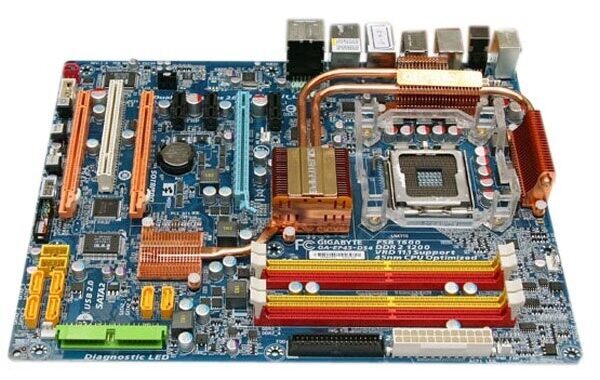
Gigabyte GA-EP45-DS4
The motherboard came with a Q9450 CPU and quite honestly that would have been more than sufficient. However, I had previously run the Q9650 CPU as a main PC back in the day, so I decided to buy one of those for it. Just for old times’ sake.
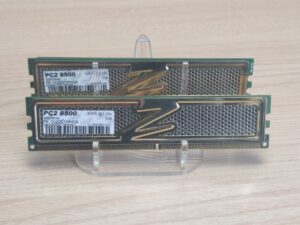
OCZ Gold PC2-8500
I went through a number of different ideas on RAM. Initially I went for the bling of the OCZ Gold (OCZ2G10664GK) but decided that maybe it was too much. I also tried some Kingston Hyper X (KHX8500D2K2) whose heat spreaders have a nice blue brushed aluminium vibe, although this still did not give me the aesthetic I wanted. I did acquire a pair of OCZ Reaper (OCZ2RPR10662GK) in a job lot of old computer stuff and these do have a cool-looking heat pipe aesthetic but are only 2GB (2x 1GB) and I really want more RAM than that. In the end I settled on the OCZ Gold because, end on, once in the case, they look fine.
For the case, I used a generic boring case from Novatech that I have owned since new and which I bought in 2004. This is a case that I have previously modded to add an acrylic window. I may possibly go for a different case at a later date.
The case has a modern Corsair fan for inlet, which is fine as you can’t see it. The rear fan is a very old (but excellent condition; barely used) clear fan with fixed LEDs which is very period-correct and gives a little lighting.
My biggest headache, and greatest saga, and most prevarication, was on the graphics card to use.
Initially I thought that I would go for the ultimate nVidia card from the period, which is the dual GPU, dual PCB, nVidia GTX 295 which was announced in December 2008 and started shipping in January 2009.
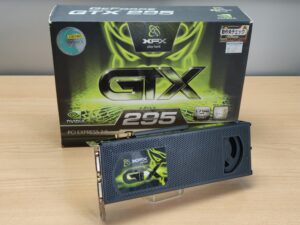
XFX GTX 295
I found one for sale on eBay, complete and in original box, which was described as “untested” and a “garage find”. I figured that nobody would have kept such a card if it didn’t work. How wrong I was. The card was in mint condition but had artifacts and showed a Code 43 under Windows Device Manager. Perhaps it was working when put into storage but had degraded over the years. Who knows. Anyway, it was unusable and I currently have it up for sale at a loss (with full disclosure as to its state).
My next attempt was another one, this time by Zotac. I bought it from Germany and paid way too much for it. Then I got hit by VAT (not only on the card but also on the postage) making it even more expensive and when I tried to cancel the sale the seller threatened me with legal action! So I had to go through with it.
Worse, once it arrived, it turned out to the be the later single PCB version from June 2009 and I didn’t really want to build a mid-2009 PC. However, it does work.
Next up I considered the GTX 285 because I had some in stock. I considered two in SLI until I realised that the motherboard doesn’t support SLI. Plus the GTX 285 is a 2009 card.
Finally I settled on the GTX 280 which was launched in June 2008. And, to be honest, this was a silly purchase as I paid too much for it and really I should have just made this a 2009 build and just used the working GTX 295 or a GTX 285. And I may yet do so. Although I do have this GTX 280 now and it does mean that this can be a genuine 2008 build.
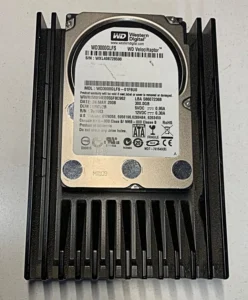 For storage, I decided on a Western Digital WD3000GLFS 300GB WD Velociraptor 10,000 rpm HDD because I have never owned a 10,000 rpm HDD before. This was launched in April 2008. It only cost me £12.93
For the optical drive I used a Sony NEC Optiarc AD-5170S manufactured in April 2007. I’m not sure when I acquired this and may even have owned it from new.
Since we still used floppy disks back in 2008, and since I had one, I put a FDD in there and also a USB media reader that I had lying around that was period correct. Of course, by 2008 floppy discs were an anachronism but, as I said, I had a suitable FDD and the motherboard has a FDD port, so why not.
For the PSU, I chose a period correct Corsair TX650W [CMPSU-650TX] which was launched in late 2007
I didn’t put a discrete sound card in, and instead am using the motherboard’s built in Realtek ALC889A.
Finally, the OS. I already have several Windows XP PCs but I have never tried the 64-bit version of Windows XP. Gigabyte have good driver support for the motherboard with drivers still being available on their website, so I decided to give that a whirl.
Unfortunately I experienced so many problems with this. It’s unclear if it is the drive, the hardware, or what, but nothing would install. Not WinXP 64-bit, nor WinXP 32-bit, nor Windows VISTA. They’d just BSOD or hang. Often as not, booting Hiren’s would just hang too, likewise Macrium Reflect PE. Even Ubuntu Live. So something is not happy. This was irrespective of whether the SATA ports were in IDE or AHCI mode, so it wasn’t that.
I tried different RAM, different drives (even no drives), different BIOS firmware, booting from USB, booting from CD. Every permutation you can imagine. It just isn’t stable and I suspect the motherboard is the culprit, as research suggests that the P45 chipset was notoriously fussy and pernickety.
Quite frankly, after several days, I’d had enough so I just used an existing WinXP install I had on a 7,400 rpm HDD from my old LGA775 system. As luck would have it, the HDD was manufactured in January 2008 and so is period-correct.
All I needed to do was re-activate WinXP and it worked absolutely fine.
Maybe I will revisit this build, but for now I am so done with it.
So, here are the final specs and also some build pics.
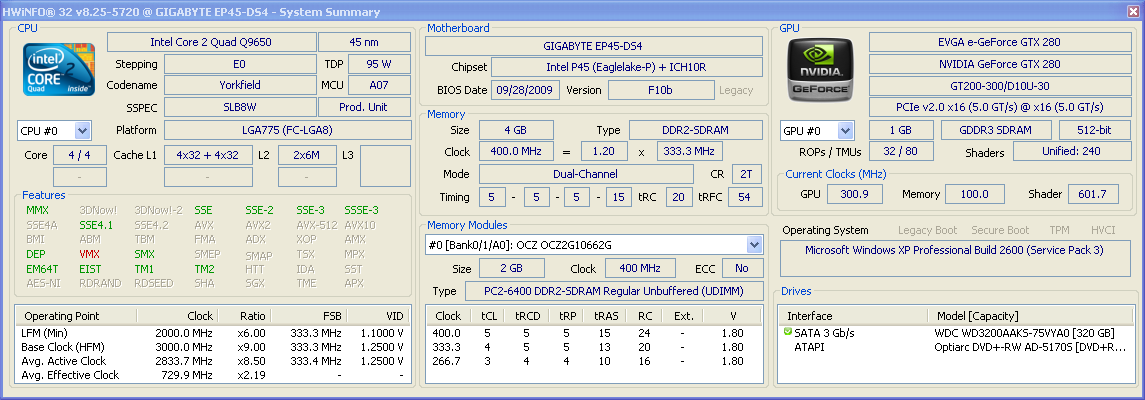
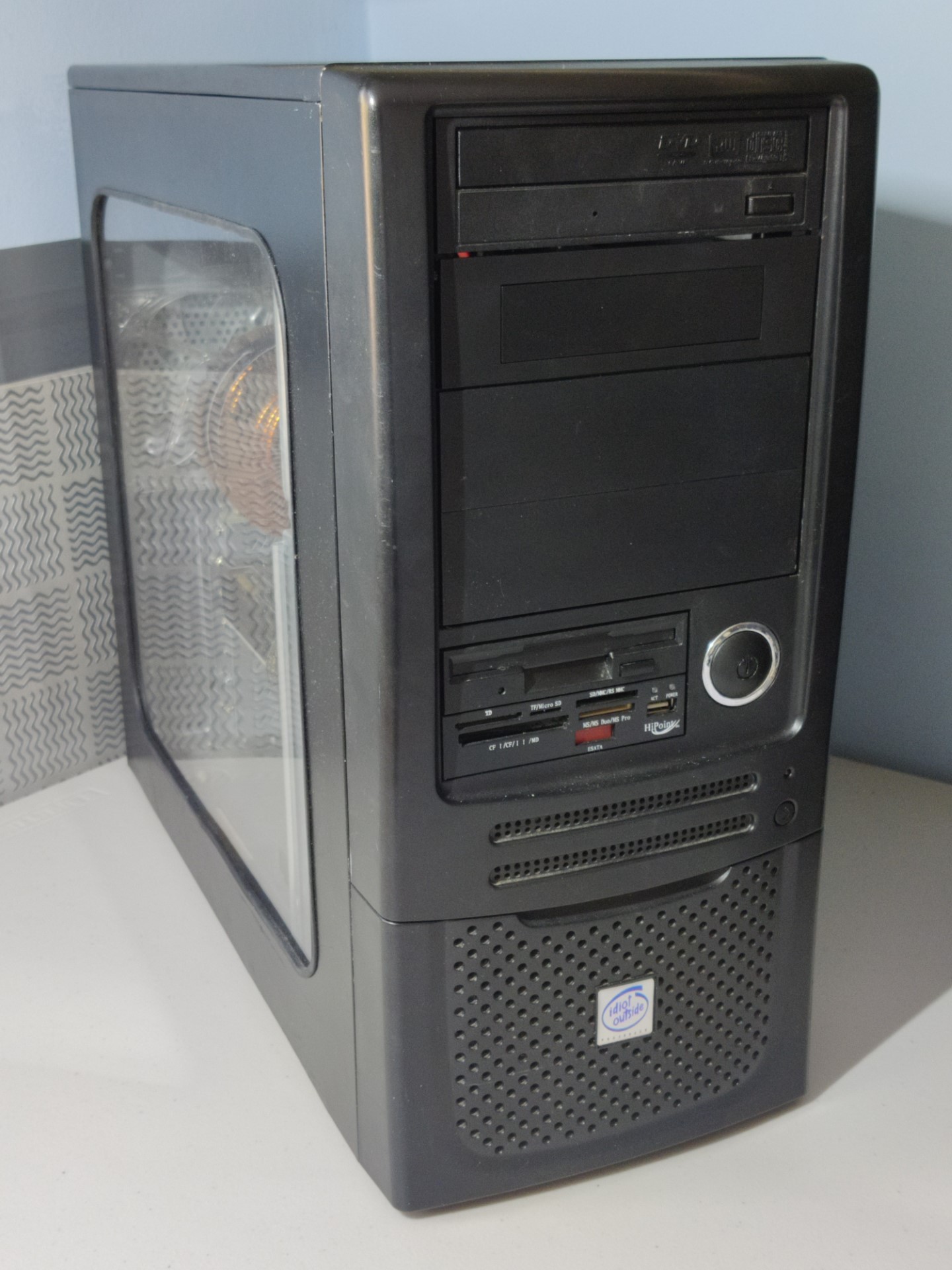
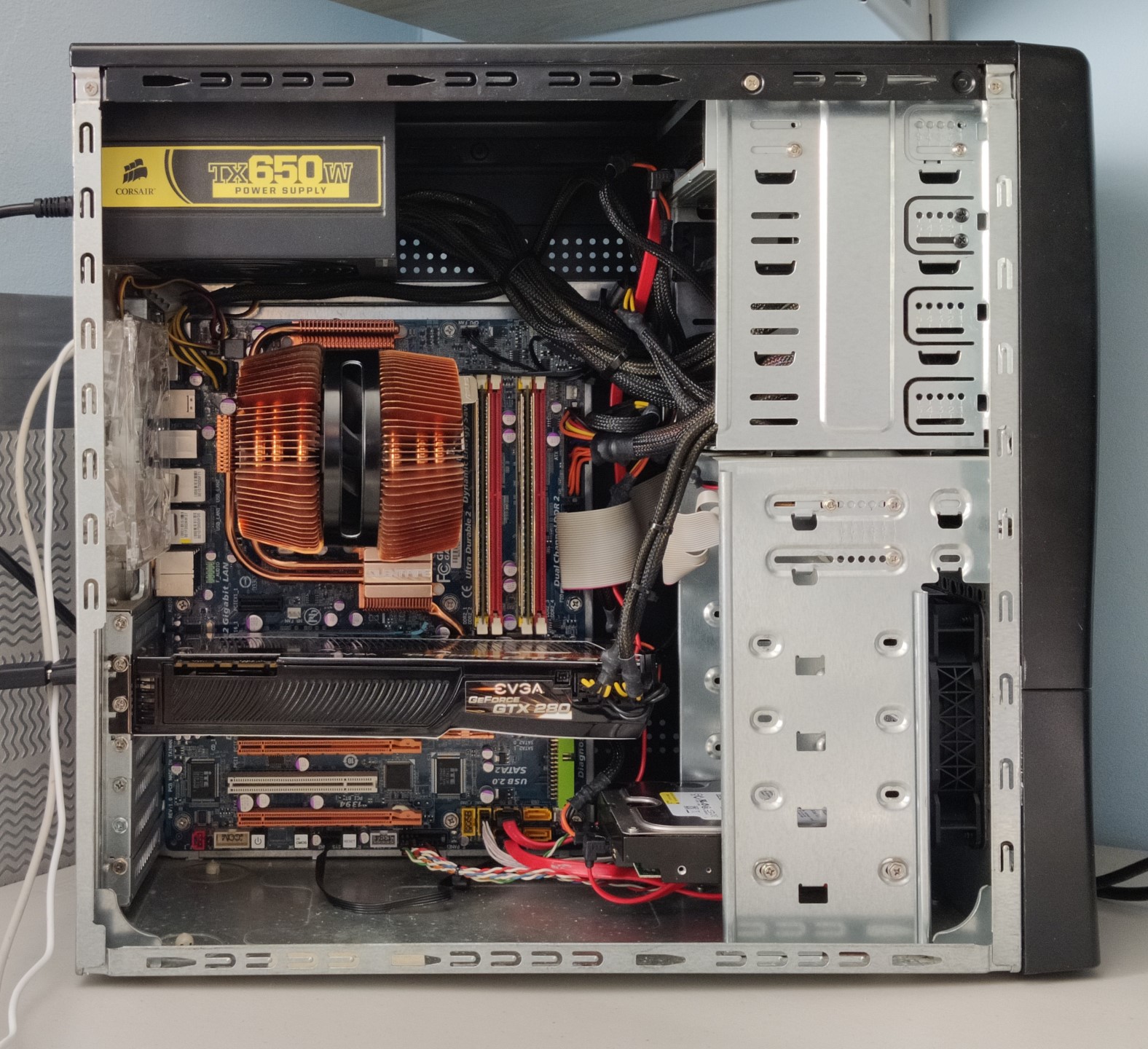
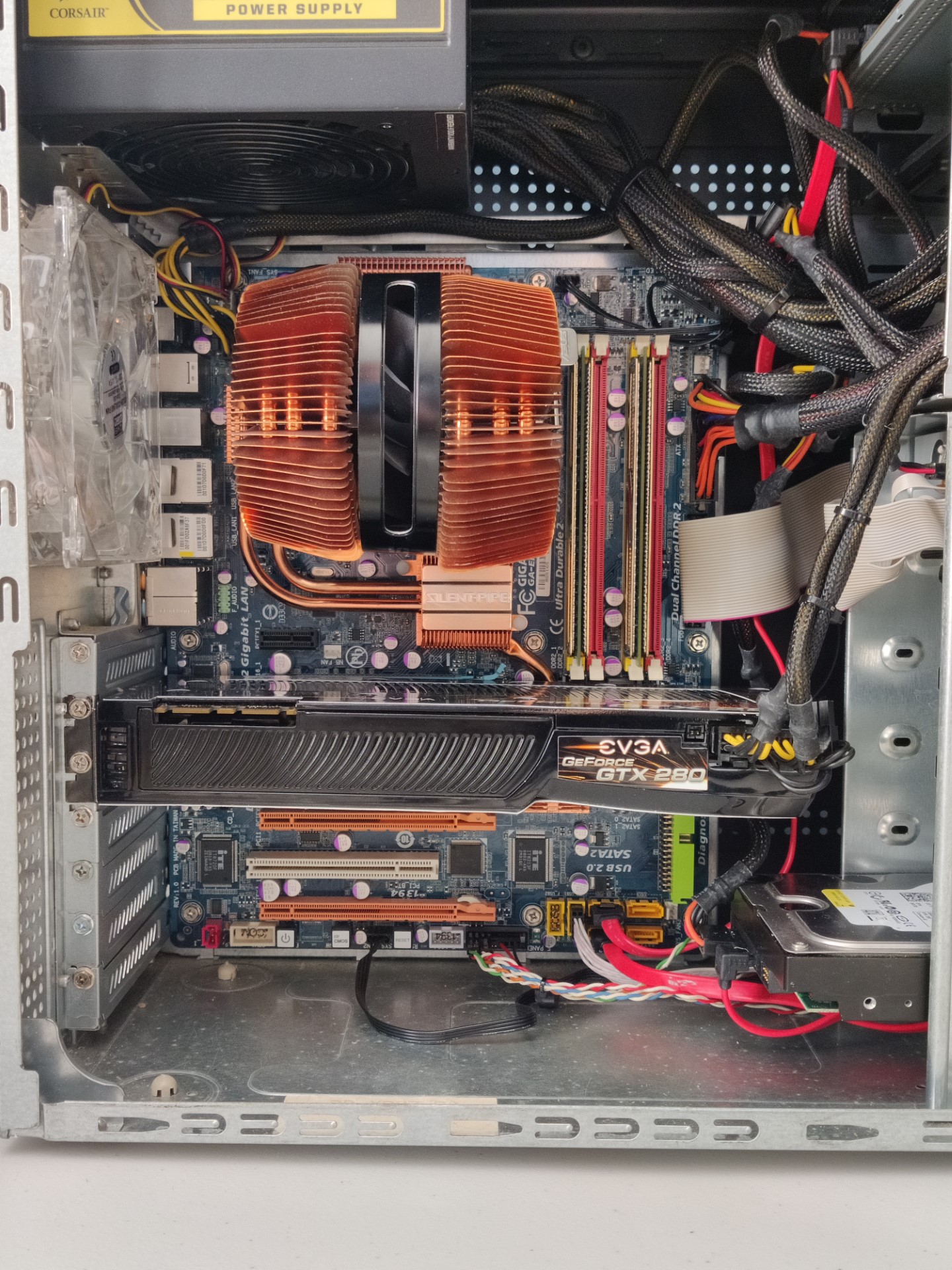
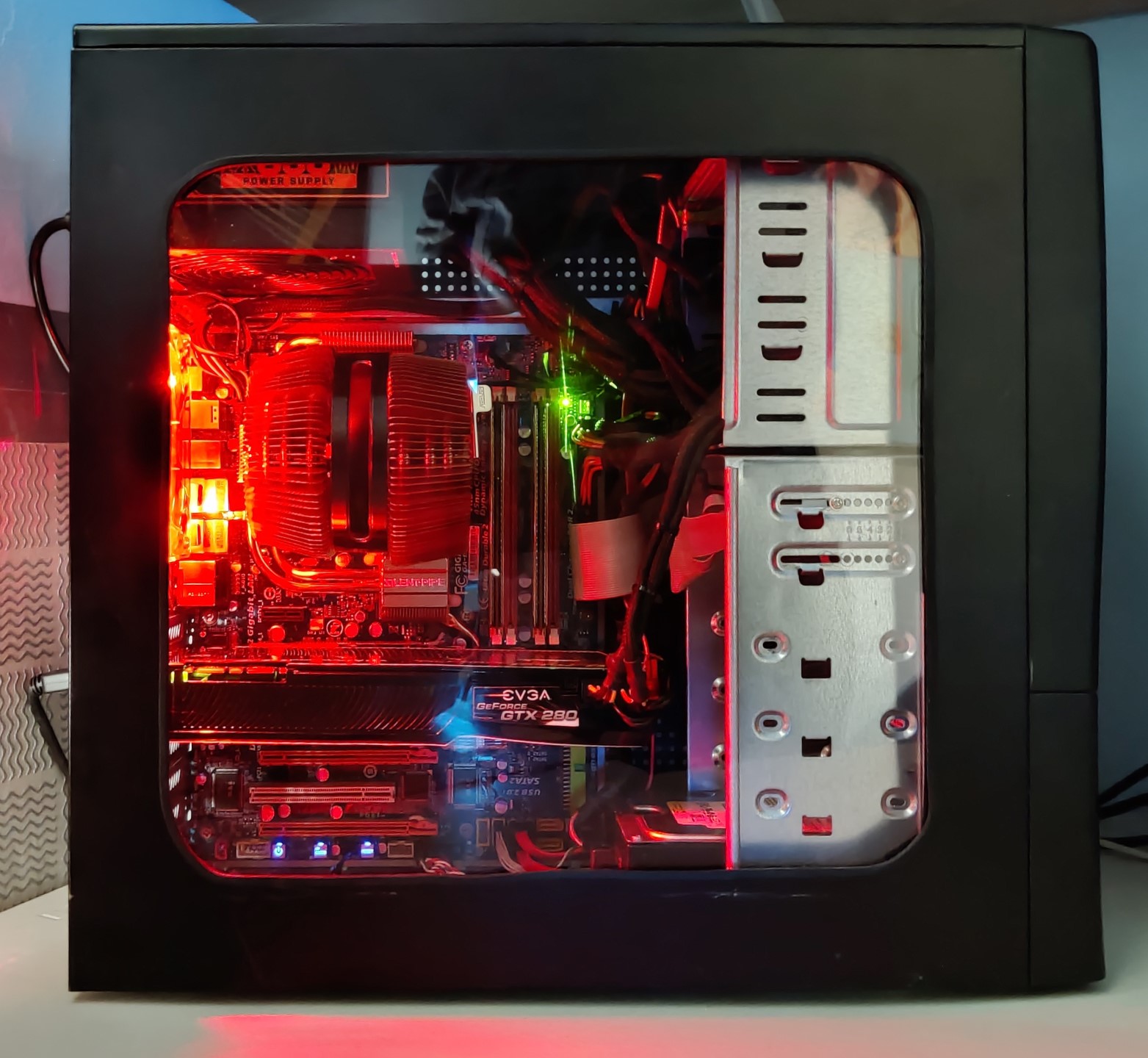
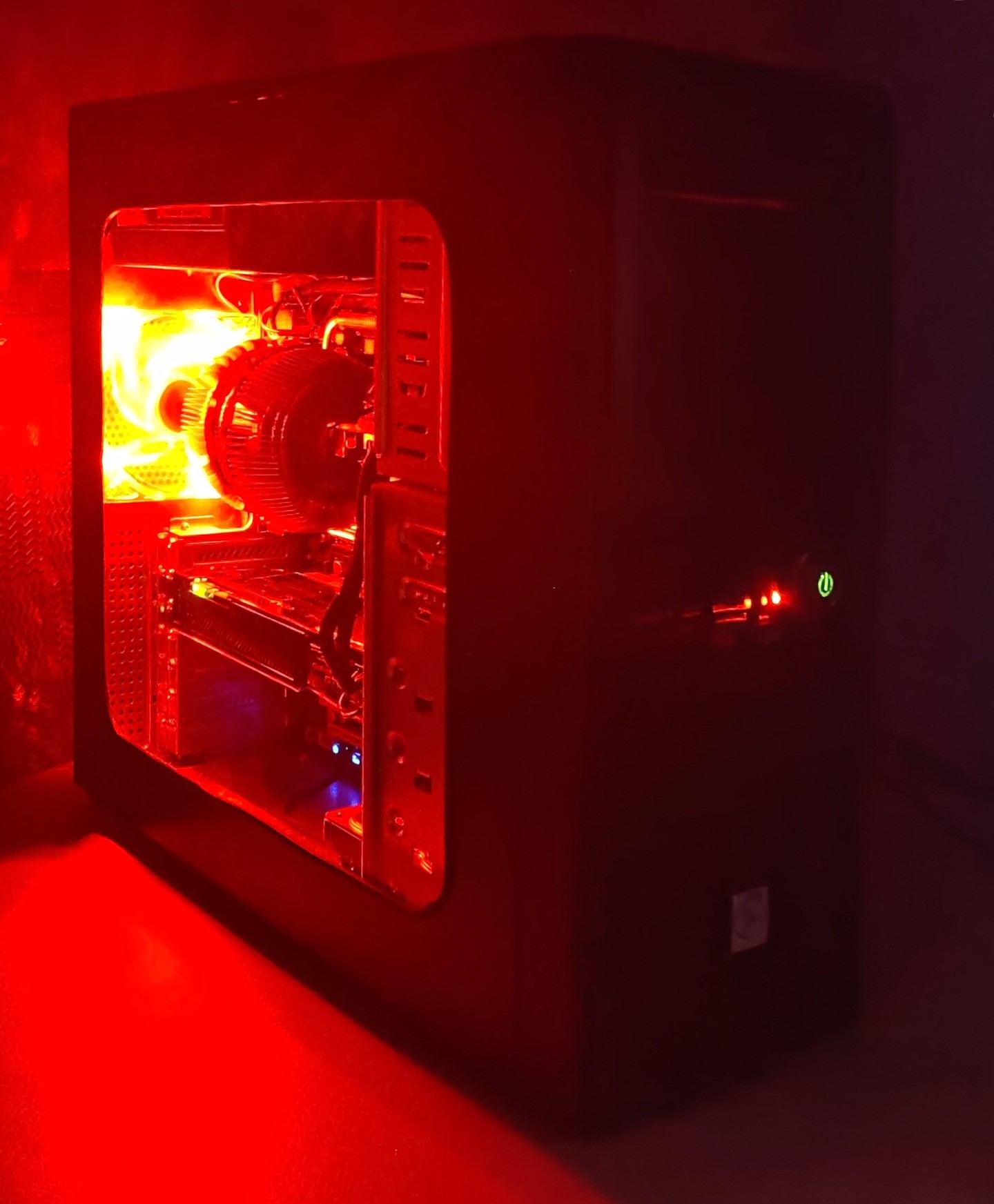
I’m rather undecided on that red LED fan as I have too many PCs with red lighting these days, and I may swap that out.
Finally, here are the costs. As usual, I have not costed things that I already owned as they are effectively amortised.
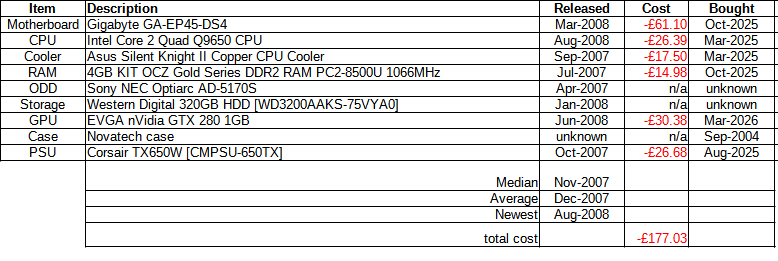
(NOTE: The release dates quoted for the ODD and HDD are actually the date of manufacture for the particular item)

Btw where did you bought ASUS Silent Knight II 92mm Sleeve CPU Cooler?
On eBay. I just got lucky!